|
Quick start |
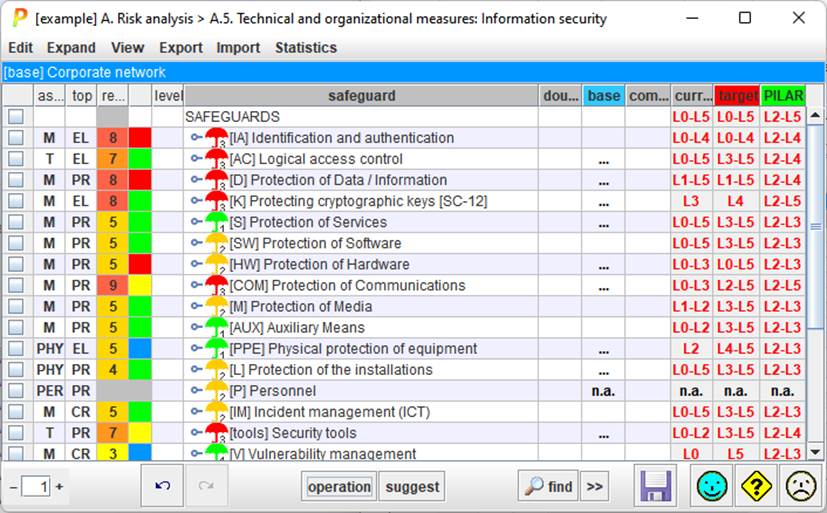
If you have a plan in mind …
|
|
|
the maturities selected are copied onto the clipboard |
|
|
The maturities in the clipboard are pasted on the cells selected |
|
|
See “Safeguards / Find” below. |


Top menu
EXPAND
|
unevaluated safeguards |
expands the tree down to safeguards that are not evaluated |
|
recommendation = 0 |
expands the tree down to safeguards which recommendation is grey |
|
n.a. |
expands the tree down to safeguards marked as n.a.; |
|
{xor} |
expands the tree down to the safeguards that are mutually exclusive; candidates for selections |
|
doubts |
expand the tree down to safeguards marked with doubts |
|
within XOR nodes, expand to the selected child |
|
|
perimeter |
see Perimeters |
|
risks |
Jumps to risk table, presenting only those that may be treated by this safeguard |
|
one line |
Safeguard text is truncate to use only one row |
|
one paragraph |
the full text of the safeguard is presented, expanding the cell if necessary |
|
SoA |
|
|
to CSV |
The visible rows are copied to a CSV file; for excel. There are 2 formats. A simple one is useful for human readers; while the second one is structured in such a way that you may edit externally and reimport it into PILAR. |
|
to XML |
The visible rows are copied to an XML file |
|
report |
The values are copied to a textual file (RTF or HTML) |
|
< Lx |
A report is generated with the safeguards below a given threshold |
|
< target |
A report is generated with the safeguards below target phase.See “Safeguards / Reference and target phases” below. |
Top menu
IMPORT
|
Read maturity values from a CSV file |
|
|
from XML |
Read maturity values from an XML file |
|
import (mgr) |
|
|
import (db) |
|
Top menu STATISTICS
|
by domain |
Generates a summary of the evaluated safeguards by security domain. |
Top band
|
security domain |
There may be different safeguards for different domains. Click to select the domain you want to edit. |