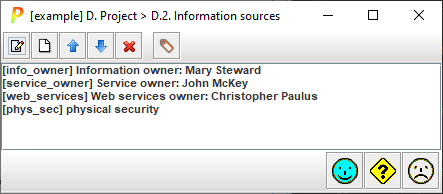
This screen is used to identify and manage information sources.
|
|
select a source and click to edit |
|
|
select a source and click to add another source |
|
|
select a source and click to move it up also: SHIFT + UP_ARROW |
|
|
select a source and click to move it down also: SHIFT + DOWN_ARROW |
|
|
select a source and click to delete it also: DELETE |
|
|
adds standard labels. Standard labels are user defined in INFO configuration file. Default values are as follows: <sources> <source
c="lr">legal restrictions</source> <source
c="nj">not justified</source> <source
c="nj.1">not worth the money</source> <source
c="nj.2">more discomfort than benfit</source> <source
c="nj.3">impractical (unrealistic)</source> </sources> |
|
panel |
list of sources select and double click to edit |


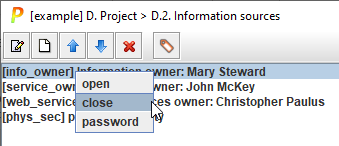
You may right-click on an information source to manage an associated password:
|
to set (or remove) a password |
|
|
login |
to provide the password to open the source |
|
logout |
to close the source |
When a source has an associated password, it may be open or closed.
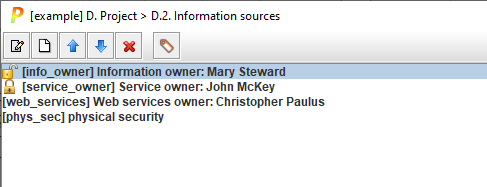
Closed sources block write/modify operations on elements associated to the source. You need either a password-free or an open source to have write access to elements associated to them.
See “access control” on users’ manual.