You may classify assets into security domains. Each domain has a separate evaluation of safeguards. When different assets are subject to different safeguards, or safeguard maturities, domains permit to organise the assets into groups.
This screen establishes and manages a hierarchy of domains. There is always a BASE domain you may not remove. Assets that are not assigned to any domain remain in the BASE domain.
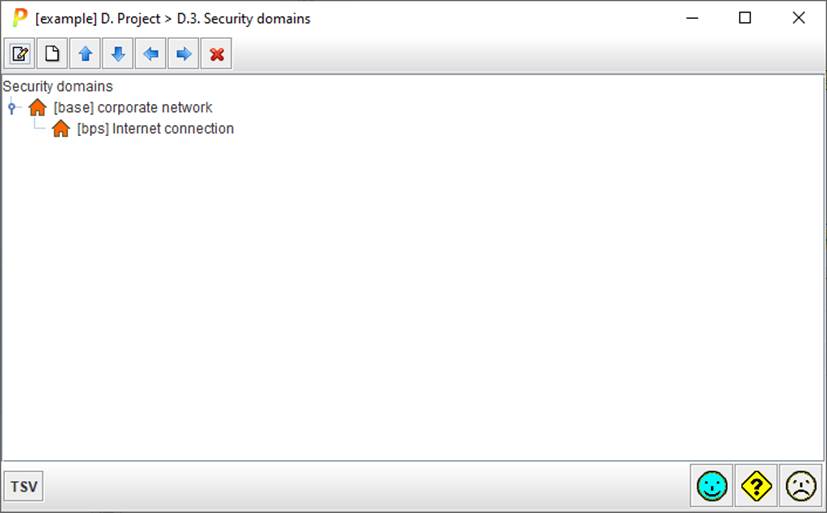
Top toolbar:
|
|
select a domain and click to edit |
|
|
select a domain and click to add another domain within it |
|
|
select a domain and click to move it up also: SHIFT + UP_ARROW |
|
|
select a domain and click to move it down also: SHIFT + DOWN_ARROW |
|
|
select a domain and click to move it left also: SHIFT + LEFT_ARROW |
|
|
select a domain and click to move it right also: SHIFT + RIGHT_ARROW |
|
|
select a domain and click to delete it also: DELETE |


On the panel with the hierarchy of domains
· select and double click to edit
· click on the handle to expand / collapse the tree
Click bottom TSV to assign a threats profile to each security domain.
· See “Threat Standard Values”.