You may edit threats manually or, much better, use a TSV file.
TSV files are explained under personalization in https://www.ar-tools.com/doc/
Either identifying threats or valuating them, you may click on TSV / LOAD to get a screen like this:
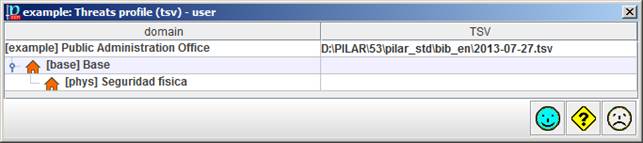
where you can specify a TSV file for the project, and different TSV files for different security domains. If a domain has no specific file, it uses the one of its enclosing domain, or the project file as a last resource.
For each asset, PILAR takes the security domain of the asset, and then finds the TSV file that applies.
The name and path of the TSV file(s) is stored along with the risk analysis project. When you open the project, PILAR tries to reload it, and checks that the file has not changed since it was last stored. PILAR complains if the process does not complete smoothly.