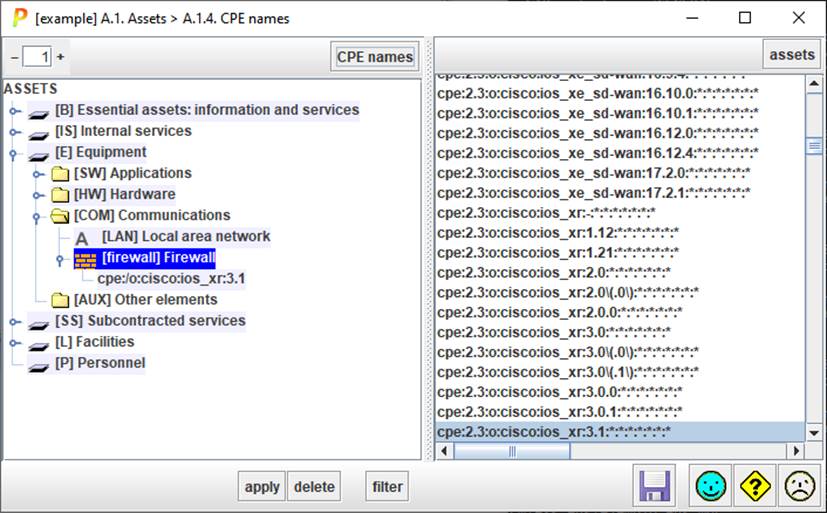
Assets may be associated to one or more CPE names. This information may be used to find reported vulnerabilities.
See https://www.ar-tools.com/doc/
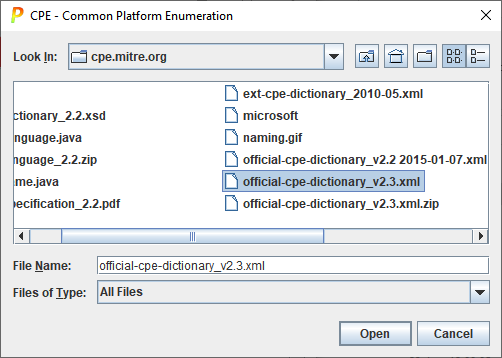
The CPE dictionary of names is constantly evolving. Download an updated version from here:
https://nvd.nist.gov/download.cfm
NIST distributes the dictionary in version 2.2 and 2.3. PILAR reads both but prefers 2.3 if available.
Top left
|
|
Controls the level of expansion of the left tree (assets). |
|
CPE NAMES |
Select one or more assets on the left. Click CPE NAMES, and PILAR will select the associated CPE names on the right tree. |

Top right
|
|
Controls the level of expansion of the right tree (CPE names). |
|
ASSETS |
Select one or more CPE names on the right. Click ASSETS, and PILAR will select the associated assets on the left tree. |
Bottom
|
APPLY |
Select one or more assets on the left. Select one or more CPE names on the right. Click APPLY to associate. |
|
DELETE |
Select one or more assets on the left. Select one or more CPE names on the right. Click DELETE to dissociate. |
|
FILTER |
Reduces right panel list filtering by manufacturer. |
To
associate a name to an asset
§ select one or more assets on the left panel
§ select one or more names on the right panel
§ click APPLY
To
dissociate a name from an asset
§ select the name to remove
§ click DELETE
To
select the names associated to an asset
§ select one or more assets on the left panel
§ click CPE names
To
select the assets associated to a name
§ select one or more names on the right panel
§ click ASSETS
To
search for an asset or a CPE name
§ ctrl-F on the appropriate panel