If you are valuating asset by asset, you have to establish the dependencies (see “Dependencies between assets).
|
Quick start |
|
Which is your major concern with this information system?
Repeat with other concerns until the rest is not so important. Click ACCUMULATED and double check that every asset has a value that makes sense to you. |
This screen is used to assign values to individual assets on each dimension.
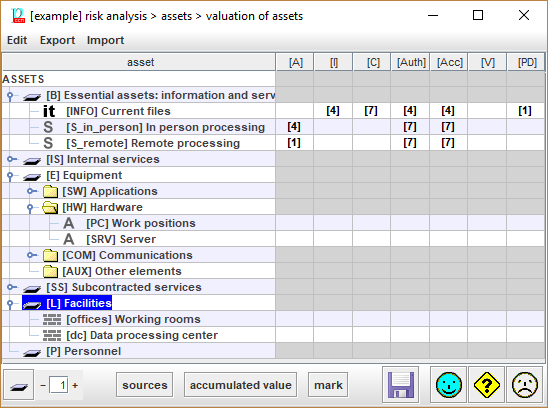
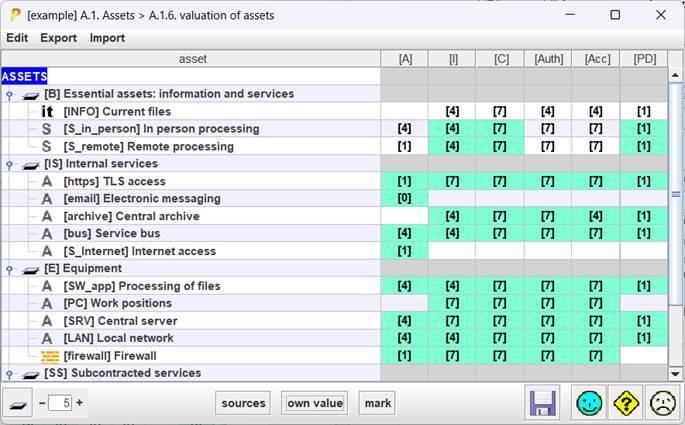
|
|
Select one or more value cells. Copy values to be pasted. |
|
|
Select one or more destination cells. Paste the copied values. If the source range is 1 cell, and the destination covers several cells, the value is copied into all of them. |


Top menu EXPORT
|
to CSV |
CSV – comma separated values |
|
to XML |
XML – extensible markup language |
Top menu IMPORT
|
from XML |
XML – extensible markup language |
Table
- As many columns as security dimensions:
For each asset and each dimension, the value.
· See Assets / Valuation / qualitative
· See Assets / Valuation / quantitative
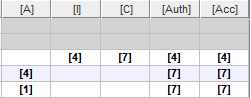
When presenting the own value of the asset, the value is shown on white background.
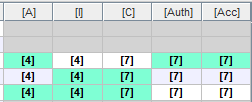
When presenting the accumulated value on the asset, the accumulated value is presented on green background.
When the risk analysis is quantitative, the values are numbers.


|
|
Click to collapse assets tree. |
|
|
Control the level of expansion of the assets tree. |
|
sources |
Select one source. PILAR will select the assets in the tree that associated with that source. |
|
accumulated / own value |
Switches from presenting only own value, or also accumulated values. |
|
mark |
Useful to see how value is propagated. Select one cell, click MARK. The value source is on green background. The destination of the value is on black background. For instance, to see how the needs on accountability are translated into integrity and authenticity of activity registers:
|


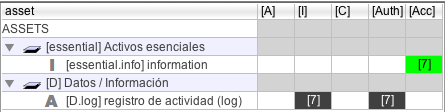
The first column presents the assets, organised as a tree. The other columns cover security dimensions. Only assets may receive values; the other rows are dead.
The screen allows to
- [for quantitative analysis] to introduce a numerical value
- to introduce a comment explaining why this value
- to select the criteria that apply from those in the library.
It is important to try to use encoded criteria.
To discover where does the accumulated value come from …
- select the asset (row)
- click SOURCES
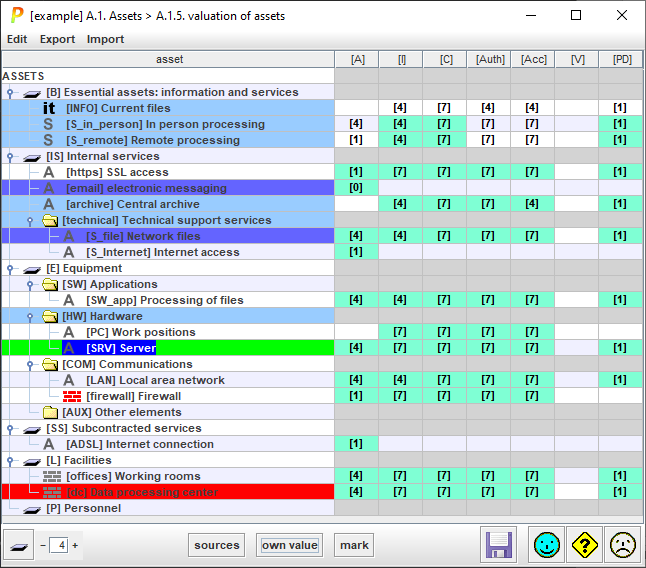
Assets above are shown in BLUE, while assets below are shown in RED.