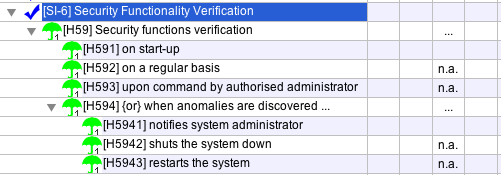
For each one of the controls ( ), each one of the
questions (
), each one of the
questions ( ), and each one of the safeguards (
 ) you may say whether it applies or not by clicking on the column
APPLIES:
) you may say whether it applies or not by clicking on the column
APPLIES:
For instance, if we have mobile computers, but no tele-working:
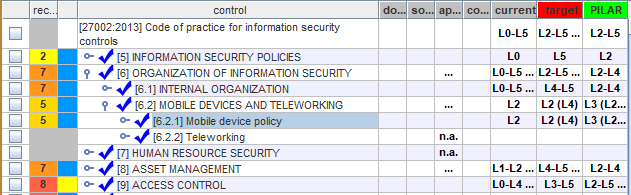
The “n.a.” means that the row does not apply. The dots mean that something below in the tree does not apply.
When you select a control row and click “n.a.”, every control under it becomes “n.a.”.
Applicability stages
When there are more than one applicability stages, the previous options apply independently to each one. You will have a column for each stage, while the current stage is highlighted in blue
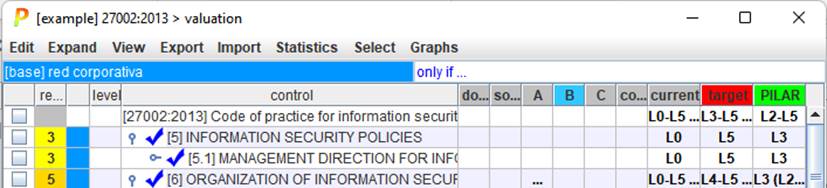
You may click on applicability stage headers to select the current one.
Safeguards
The applicability of safeguards is better stated in the specific screen for safeguards. Applicability of controls and safeguards is not automated by PILAR. It may happen that something below does apply, and something does not: you will have to check / uncheck manually.
Altogether, you may have any combination of controls and safeguards that apply or not. For instance