|
Quick start |
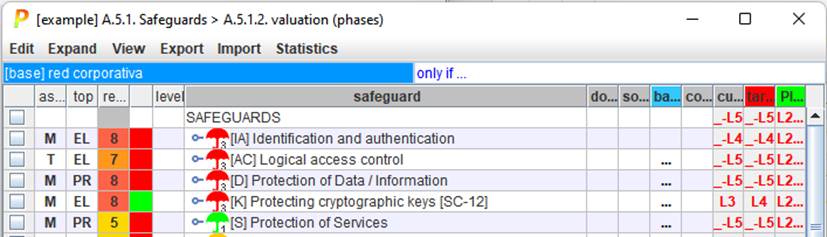
If you have a plan in mind …
|
|
|
the maturities selected are copied onto the clipboard |
|
|
The maturities in the clipboard are pasted on the cells selected |
|
|
See “Safeguards / Find” below. |


Top menu EXPAND
|
unevaluated safeguards |
expands the tree down to safeguards that are not evaluated |
|
recommendation = 0 |
expands the tree down to safeguards which recommendation is grey |
|
n.a. |
expands the tree down to safeguards marked as n.a.; |
|
{xor} |
expands the tree down to the safeguards that are mutually exclusive; candidates for selections |
|
doubts |
expand the tree down to safeguards marked with doubts |
|
within XOR nodes, expand to the selected child |
|
|
perimeter |
see Perimeters |
|
SoA |
|
|
to CSV |
The visible rows are copied to a CSV file; for excel. There are 2 formats. A simple one is useful for human readers; while the second one is structured in such a way that you may edit externally and reimport it into PILAR. |
|
to XML |
The visible rows are copied to an XML file |
|
report |
The values are copied to a textual file (RTF or HTML) |
|
< Lx |
A report is generated with the safeguards below a given threshold |
|
< target |
A report is generated
with the safeguards below target phase. |
Top menu IMPORT
|
Read maturity values from a CSV file |
|
|
from XML |
Read maturity values from an XML file |
|
import (mgr) |
|
|
import (db) |
|
|
by domain |
Generates a summary of the evaluated safeguards by security domain. |

|
There may be different safeguards for different domains. Click to select the domain you want to edit. |
|
|
only if … |
Click to select some safeguards based on attributes. After that, PILAR will prune the tree to show only the parts of the tree related to the selected items. You may select different criteria to match · safeguards that apply or that do not apply · information sources · countermeasure level |